

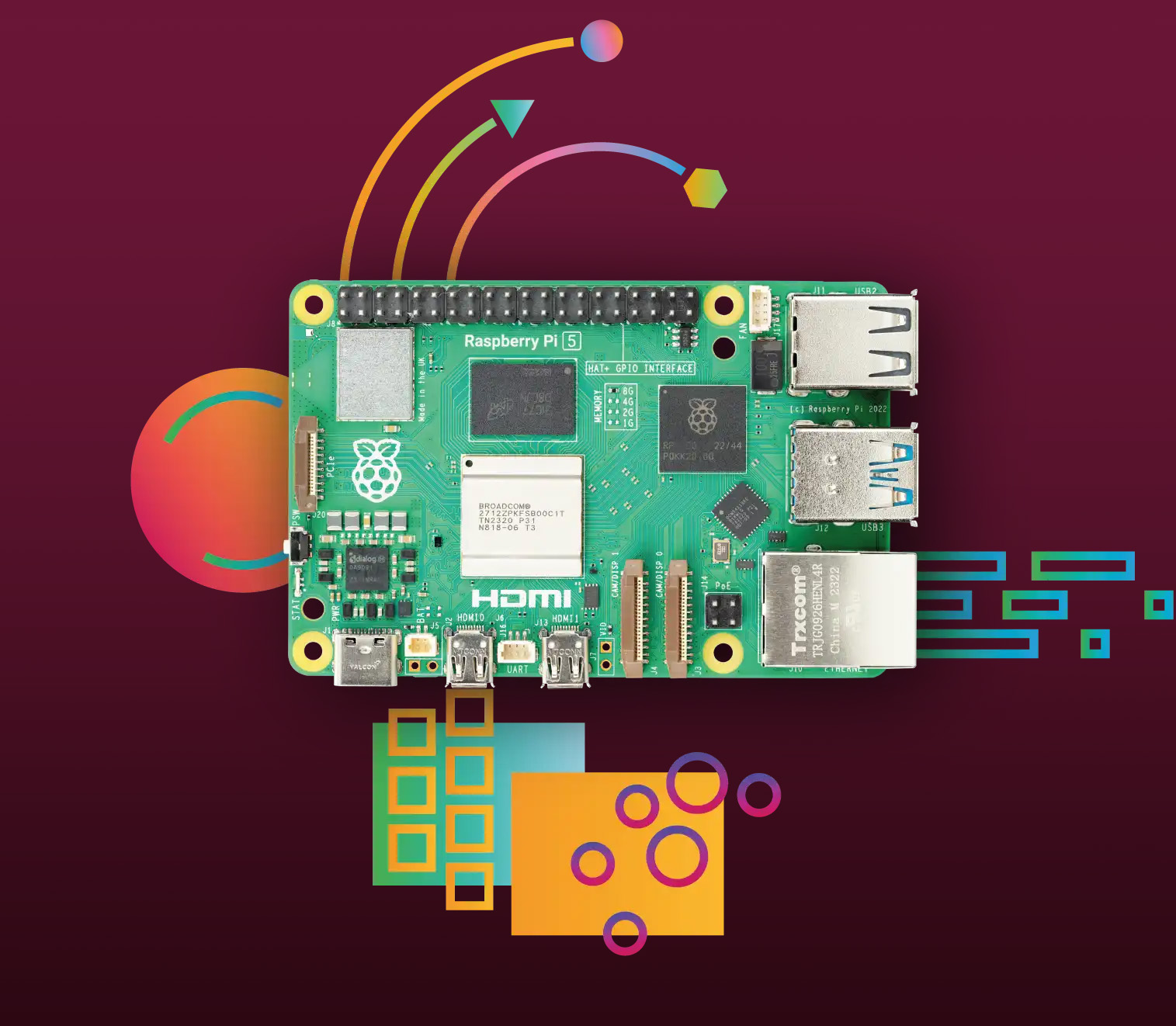
Raspberry Pi 5
Available in 1GB / 2GB / 4GB / 8GB / 16GB RAM
Incorporates the RP1 I/O controller — A chip package built with silicon designed in-house by Raspberry Pi
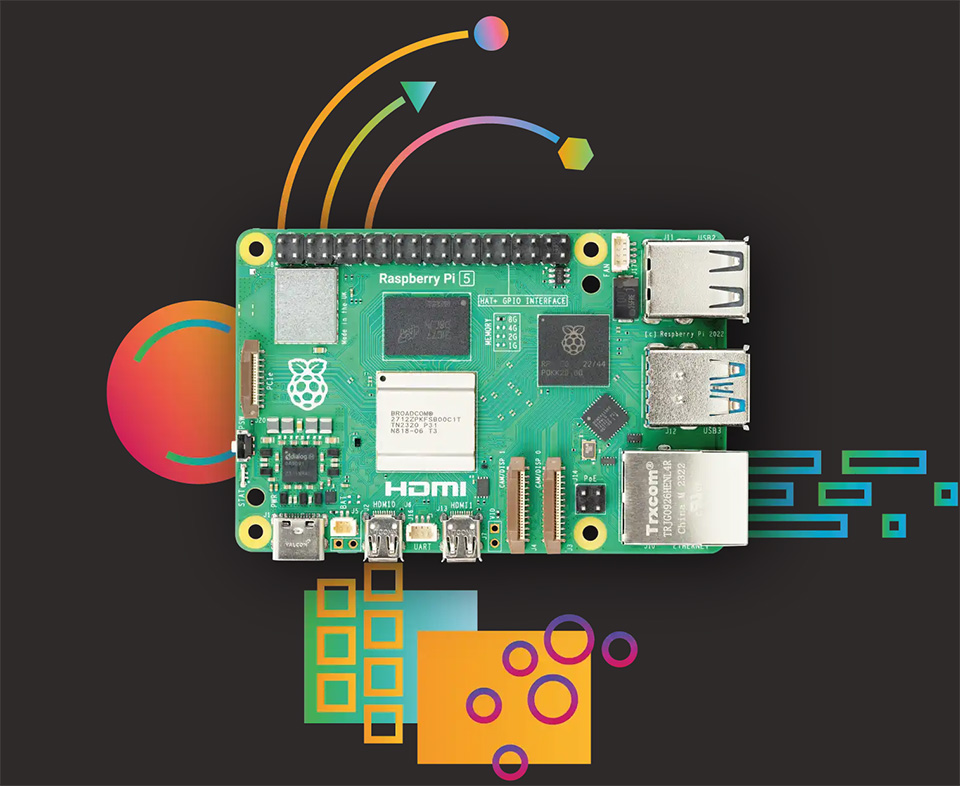
Raspberry Pi’s Official Price Guide
Raspberry Pi 5 Price Comparison: Find the Best Value for Your Budget
| Memory Version | Price | Price per GB | Value Recommendation |
|---|---|---|---|
| 1GB Version | $45 | $45/GB | ⭐ Limited Use |
| 2GB Version | $55 | $27.5/GB | ⭐⭐ Budget Entry |
| 4GB Version | $70 | $17.5/GB | ⭐⭐⭐ Best Starter |
| 8GB Version | $95 | $11.88/GB | ⭐⭐⭐⭐⭐ Sweet Spot |
| 16GB Version | $145 | $9.06/GB | ⭐⭐⭐⭐ Pro Choice |
Products Features
Raspberry Pi 5 is the latest generation flagship product in the Raspberry Pi series, following the success of the Raspberry Pi 4. It provides a 2-3x increase in CPU performance over the previous generation. Onboard dual CSI/DSI ports and USB connectors which are provided by the Raspberry Pi RP1 I/O controller. And this is the first Raspberry Pi computer using silicon built in-house at Raspberry Pi.
Specification:
- 2.4GHz quad-core 64-bit Arm Cortex-A76 CPU, 512KB per-core L2 caches and a 2MB shared L3 cache
- VideoCore VII GPU @800MHz, supporting OpenGL ES 3.1, Vulkan 1.2
- Dual 4Kp60 HDMI® display output
- 4Kp60 HEVC decoder
- LPDDR4X-4267 SDRAM (options for 1GB/2GB/4GB/8GB/16GB)
- 2.4GHz/5GHz dual-band 802.11ac Wi-Fi®
- Bluetooth 5.0 / Bluetooth Low Energy (BLE)
- TF card slot, with support for high-speed SDR104 mode
- 2 × USB 3.0 ports, supporting simultaneous 5Gbps operation
- Gigabit Ethernet, with PoE+ support (requires separate PoE+ HAT)
- 2 × 4-lane MIPI DSI/CSI port
- PCIe 2.0 x1 interface for fast peripherals (requires separate M.2 HAT or other adapter)
- 5V/5A DC power via USB-C, with Power Delivery support
- Raspberry Pi standard 40-pin header
- Real-time clock (RTC), powered from external battery (not included)
- Onboard power button for power on/off without disconnecting power adapter
Raspberry Pi 5 VS Raspberry Pi 4B
| Module | Raspberry Pi 4B | Raspberry Pi 5 |
|---|---|---|
| CPU | Broadcom BCM2711, quad-core Cortex-A72 (ARM v8) 64-bit SoC, 1.8GHz frequency | Broadcom BCM2712, quad-core Cortex-A76 (ARM v8) 64-bit SoC, 2.4GHz frequency |
| RAM | Options for 2GB/4GB/8GB | Options for 1GB/2GB/4GB/8GB/16GB |
| Interfaces | 2.4GHz and 5.0GHz 802.11a dual-band WiFi | 2.4GHz and 5.0GHz 802.11a dual-band WiFi |
| Bluetooth 5.0, BLE | Bluetooth 5.0, BLE | |
| Gigabit Ethernet | Gigabit Ethernet | |
| N/A | 1 × PCle 2.0 interface | |
| 2 × USB 3.0, 2 × USB 2.0 | 2 × USB 3.0, supporting simultaneous 5Gbps operation 2 × USB 2.0 |
|
| Raspberry Pi standard 40PIN GPIO header | Raspberry Pi standard 40PIN GPIO header | |
| 2 × micro HDMI interface (up to 4Kp60) | 2 × micro HDMI interface (up to 4Kp60) | |
| 2-lane MIPI DSI, 2-lane MIPI CSI | 2 × 4-lane MIPI (DSI/CSI) | |
| 4-pole stereo audio and composite video port | N/A | |
| Operating system & data storage | TF card slot | TF card slot, with support for high-speed SDR104 mode |
| Power Input | 5V/3A DC (power via USB-C/GPIO) | 5V/5A DC (power via USB-C, support PD) |
| PoE | requires separate PoE+ HAT | requires separate new PoE+ HAT |
| RTC | N/A | Onboard RTC and RTC battery connector |
FAQ: Raspberry Pi 5 vs. Old PC Or Laptop
As a Beginner, Which Should You Choose?
Q1: Why should I buy a Raspberry Pi 5 when I have an old laptop?
- A: While old laptops are powerful, the Raspberry Pi 5 excels in energy efficiency, size, and hardware projects. It consumes only about 3-12W, which is significantly lower than a typical PC (30-100W). If you need a silent, 24/7 “always-on” server for smart home or coding, the Pi 5 is the much more cost-effective choice in the long run.
Q2: How much can I save on electricity bills with a Raspberry Pi 5?
- A: On average, running a Raspberry Pi 5 24/7 costs less than $10 per year in electricity (depending on your local rates). In contrast, an old desktop or laptop could cost you $40 to $100+ annually. The energy savings alone can often pay for the device within a year or two.
Q3: Can a Raspberry Pi 5 replace my desktop computer?
- A: For light tasks like web browsing, document editing, and learning Linux, the 8GB or 16GB versions of the Pi 5 are excellent desktop replacements. However, for heavy video editing or AAA gaming, a traditional PC is still required. The Pi 5 is best used as a dedicated server, media center, or DIY electronics hub.
Q4: Do I need a special power supply for the 16GB model?
- A: Yes. To ensure stability, especially for the high-performance 16GB RAM model, we strongly recommend using the official Raspberry Pi 27W USB-C Power Supply. This ensures the Pi can provide full power to connected USB peripherals and maintain peak CPU speeds.
评价
目前还没有评价